.png)
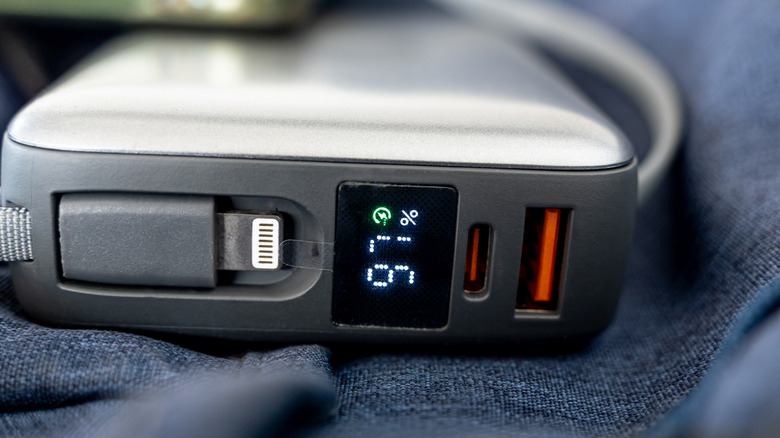
An orange USB port is an indicator, but not set in stone by industry standardization.
Andikha_2882/Shutterstock
Take a look at some of the USB ports throughout your home. If you notice any orange ones, congratulations: there's a chance you have an "always-on" charging option. With these, the USB ports provide power through the power supply or internal battery even if the computer is shut off.
"Chance" is used rather loosely, however, because like many USB colors and symbols, orange in a USB port isn't a matter of industry standardization. There is no electronics rule that defines orange as a port that will charge your phone even if you turn off the computer (or whatever device the port is part of).
The color typically appears on the plastic insert inside a rectangular USB-A socket. A few manufacturers describe orange ports as "always-on," but some of these also support fast USB data transfers. Orange USB ports are often associated with USB 3.0, offering up to 5 Gbps speeds. But since it's not a universal spec, you should view an orange port as a power-related feature that requires confirmation.
This is further complicated by the fact that a manufacturer can highlight a special feature or function without promising a particular charging wattage. Or you might have an orange USB port that doesn't offer 5 Gbps speeds, yet still charges your phone when the power source is off.
Orange USB ports don't have the same meaning everywhere
Since orange essentially acts as a visual cue that a USB port is not standard, it all boils down to the manufacturer. Break out the computer or accessory's documentation (or check its online specs page), as that will be much more useful than a color chart. Intel and Advantech are good examples of two manufacturers using the same orange insert to highlight entirely different capabilities.
Where Intel is concerned, an orange USB port is an enhanced charging connection on some NUC PCs. Intel specifies up to 1.5 amps from that port, compared with 900 milliamps from the blue ports on those models. Meanwhile, Advantech uses orange ports as high-retention USB connectors, meaning the socket holds on to the plug really tightly. The withdrawal force required is 50 percent greater than a conventional USB connector.
Which USB port is faster: blue or orange?
Thaibah Studio/Shutterstock
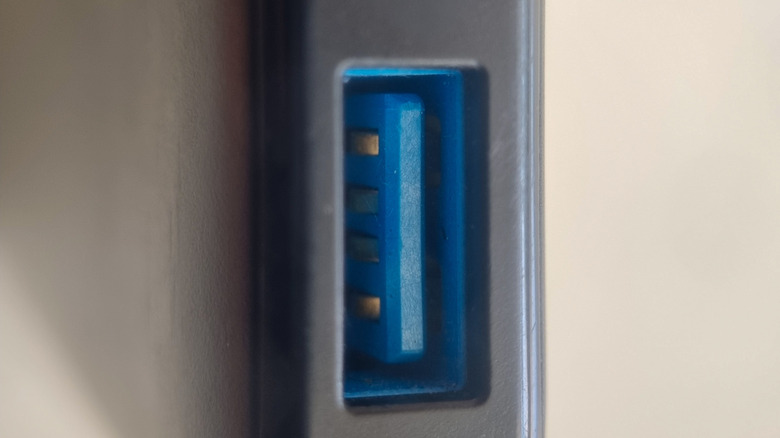
In most color chart comparisons, both orange and blue USB ports use USB 3.0, which supports data transfer rates up to 5.0 Gbps. Given those specs, orange diverges from blue in the "always-on" category alone. Moving a USB cable from a blue to an orange port shouldn't make any difference unless you turn the PC or accessory off and need to charge something.
Blue isn't fully standardized either. According to USB-IF, it's the recommended color for SuperSpeed (USB 3.0, 5 Gbps) USB-A connectors. Even with that recommendation, it never hurts to double-check the specifications for each port individually, especially for non-standard USB colors like purple. Labels can help, but aren't always immediately visible or present at all.
The connected device and cable are important too: not every accessory can match a port's advertised maximum, and the cable has to support those capabilities as well. When you need fast charging, make sure the orange USB port in question is capable. When you need fast transfers, make sure that same orange port isn't going to be a bottleneck. An orange port will offer both in many cases, but you can't tell from the color alone.








 English (US) ·